
Online Digital Skills Course: Learn Step by Step
An online digital skills course helps adults build confidence using computers, smartphones and everyday online services. Explore essential tasks such as organising files, sending email, finding trustworthy information and completing forms. Start with a free interactive digital-skills exercise and practical examples designed for independent study, with no previous technical experience required.
Start with the free lesson and seven-question practice activity. Full course enrolment, lesson access and any completion records are subject to the course being released and verified.
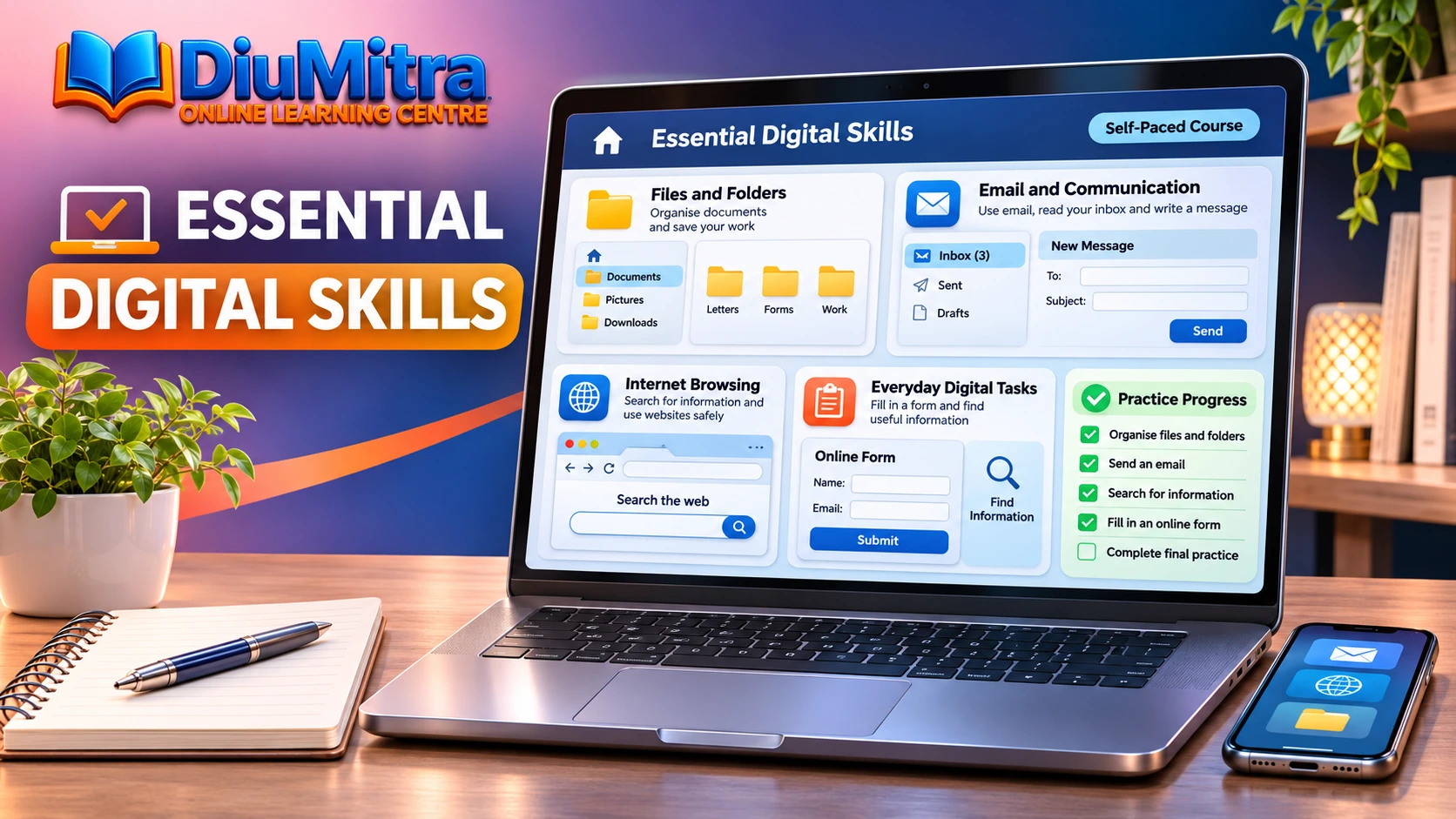
Build Digital Confidence One Task at a Time
Learn practical everyday tasks using clear explanations, simple examples and a free exercise. These basic computer skills lessons focus on independent progress, not specialist IT training or scheduled classes.
Free Digital Skills Lesson: Understand Files and Folders
Start with an everyday task: saving a document. Understand the difference between a file and a folder, then learn how to find the item when you need it again.
1. What is a digital file?
Files usually have names so you can recognise them. For example, a letter might be saved as a PDF or word-processing document.
2. What is a folder used for?
You might keep letters in Documents and photographs in Pictures. Meaningful folder names help you find your work again.
3. How do you find a file you saved?
If a file was downloaded from a website, the Downloads folder is a useful place to check. Actual menu names depend on your device.
These original examples teach everyday file-management concepts. Next, use the interactive digital skills practice to choose the correct action and read the explanation.
Try Seven Everyday Digital Skills Tasks
Choose the most useful action for common device, email, file and web tasks. Each question offers immediate feedback, with no timer, sign-in or stored score.
Which Digital Action Would You Choose?
Seven original everyday tasks help you practise which digital actions to take next.
You have finished writing a letter. What helps you find it again later?
Enable JavaScript to try the digital skills exercise. You can read the sample lesson without it.
Practice only. No personal data, uploaded files, timer, account or saved results are required. The activity does not save or send your choices.
These fictional exercises demonstrate digital skills; they do not open real accounts, upload personal files, send emails or submit forms. Learn about independent digital-skills options from Skills for Careers.
Online Digital Skills Course: Learning Topics
Explore six introductory study areas covering devices, files, communication, online services and careful digital choices. The lesson and interactive practice here are available without enrolment.
| Learning topic | What you practise | Simple take-away |
|---|---|---|
| 1. Device essentials | Recognising controls, changing text size, using touchscreens and connecting to Wi-Fi | Find settings and control your own device |
| 2. Browsing and information | Opening a browser, searching, checking source and page date | Look for a reliable, relevant website |
| 3. Files and folders | Naming, saving, moving, finding and downloading files | Know where important documents are stored |
| 4. Writing and email | Drafting a short message, adding an attachment, saving a document | Communicate clearly and check before sending |
| 5. Everyday online tasks | Understanding form fields, bookings, accounts and online services | Complete tasks carefully using official websites |
| 6. Problem solving and safer use | Using help functions, accessibility tools, privacy settings and routine checks | Ask for help safely and choose suitable settings |
England’s 2026 essential digital skills standards set out skills for life, work and further learning. The topics below are independent educational examples and do not constitute an accredited qualification.
How to Build Everyday Digital Skills
Try one small practical task, read the explanation and repeat it with a non-sensitive example. Build confidence gradually rather than racing through unfamiliar software.
Choose One Familiar Task
Begin with something useful, such as finding a saved document, composing an email or identifying the right setting on your phone.
Follow a Simple Example
Use the free sample lesson or choose an answer in the interactive challenge. Read why the correct action works before moving on.
Practise on Your Own Device
Try the same task on a device you own. Use ordinary practice files and avoid entering private details into unfamiliar websites.
Repeat and Reflect
Return to the task another day and explain the steps in your own words. A practice score is a learning prompt, not proof of competence.
Self-Paced Digital Skills vs Tutor-Led Classes
Independent practice lets you revisit everyday digital tasks when convenient. Scheduled classes suit learners who prefer live demonstrations, feedback and direct instructor support.
| Self-Paced Digital Skills | Tutor-Led Classes |
|---|---|
| Read clear examples and choose answers independently | Attend scheduled lessons when provided by a tutor |
| Repeat beginner file, internet and email tasks at your own pace | Ask questions during instructor-supported sessions |
| Free sample exercise is available without sign-in | Class access depends on the provider and available timetable |
| Full course enrolment is subject to verified release | Live course entry and any teaching support are separate |
For live, instructor-led programmes, visit DiuMitra Academy. For broader self-paced study options, browse DiuMitra Online Courses. This page owns independent digital skills learning, not live tuition.
Accessible Digital Learning with Clear Guidance
DiuMitra is a community-led learning platform focused on clear, approachable explanations. The examples here are designed for adult beginners and support practical understanding without assuming advanced English or computing knowledge.
The Department for Education’s revised 2026 digital skills standards describe skills adults may use in life and work. For focused account-security learning, explore DiuMitra’s Online Safety Course, or use Learn My Way for more independent digital practice. Always use official websites for genuine applications and keep personal documents and passwords private.
Essential Digital Skills Course: Common Questions
Find out what you can practise for free, how the self-paced format works, which devices you can use and how it differs from a formal qualification.
Start Building Your Digital Confidence
Try the sample lesson, complete the seven everyday digital tasks and explore other self-paced courses at DiuMitra. You can also contact our community team if you need help finding a suitable learning section.
The on-page activity is independent practice, not an accredited assessment. Check the released course listing for actual lesson access, enrolment conditions, fees and any completion documentation.