

International travel to India has undergone its most significant administrative shift in decades. The Bureau of Immigration, in coordination with the Ministry of Home Affairs, has fully digitised the border entry protocol. This structural evolution streamlines international arrivals across all major Indian aviation hubs.
The primary operational vehicle for this transition is the India e-Arrival Card. This digital platform replaces old manual processing systems. It integrates passenger data directly into India’s central immigration network.
Form Online
Bureau of Immigration
Validation via API
e-Gate Clearance
For travellers originating from the UK or transit hubs, this system is now a non-negotiable step. It forms the core baseline of pre-departure compliance.
Quick Check: The 60-Second Core Answer
The Direct Answer (Updated June 2026):
The India e-Arrival Card is a mandatory digital declaration form that replaces the old paper arrival cards. It must be completed online via the official Bureau of Immigration portal or the official “Indian Visa Su-Swagatam” mobile app.
You can submit it up to 4 days (96 hours) before your arrival. If submitted within 72 hours of landing, you will generate a digital QR code that must be displayed to border officers on your phone or on a printed sheet. The service is 100% free of charge. It does not replace your e-Visa or regular passport visa—it is a mandatory secondary document.
Key Takeaways
- Effective Date: Permanent enforcement began on April 1, 2026; paper cards are completely obsolete.
- Who Needs It: All foreign passport holders, including OCI cardholders. Indian citizens holding standard Indian passports are exempt.
- Timeline: Open up to 4 days before travel. Submissions inside 72 hours require a valid QR code check.
- Official Platforms: Only use the official Bureau of Immigration website or the Su-Swagatam app. Avoid third-party websites asking for money.
- Cost: Completely free.
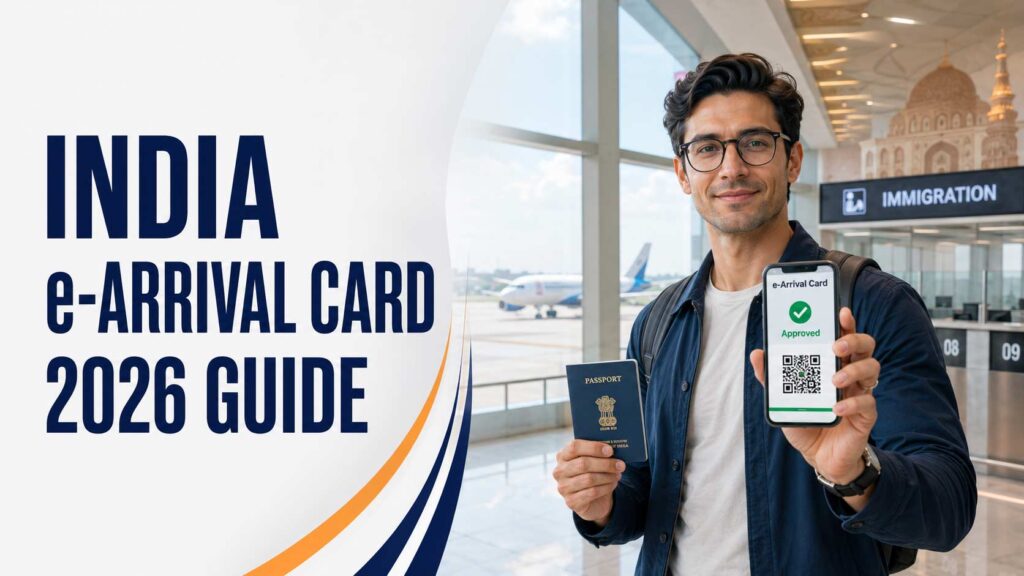
The 2026 Indian Immigration Revolution
Introduction to India’s New Digital Disembarkation System
Navigating the border control protocols of a massive country like India can occasionally feel like a moving target. If you are preparing for a flight from London Heathrow to Delhi International or mapping out a business itinerary from Manchester to Mumbai, a massive administrative shift has taken place that directly alters how you cross the Indian border.
As of April 1, 2026, the Government of India has officially and permanently discontinued the old paper-based physical disembarkation cards that flight attendants traditionally handed out mid-flight. In their place is a fully digitized, mandatory India digital arrival declaration system.
Every single non-Indian passport holder—including tourists, business travellers, students, and crucially, Overseas Citizen of India (OCI) cardholders—must complete this digital arrival declaration before passing through airport or seaport border controls.
At DiuMitra, our core mission is empowering UK-India journeys with clarity, confidence, and community. In this definitive, 2026-updated operational guide, we will break down exactly how this new system works, help you sidestep common border pitfalls, and ensure you land on Indian soil ready to breeze through immigration lines without a hitch.
The Death of Paper Arrival Cards: What Changed on April 1, 2026?
The transition to digital border tracking followed a strict phased rollout. The Bureau of Immigration launched the initial digital disembarkation portal on October 1, 2025. A six-month transitional grace period allowed physical disembarkation cards to remain in use temporarily.
However, this grace period officially terminated on April 1, 2026.
Physical pen-and-paper landing cards are no longer distributed by airlines during inbound flights. Border counters at Indian airports no longer accept manual forms. Inbound international passengers must present a digital or printed confirmation QR code.
Failure to submit this electronic pre-registration before boarding leads to immediate consequences. You face boarding denial at UK hubs or lengthy holdovers at Indian border checkposts.
Air Suvidha vs. e-Arrival Card: Clearing up the Confusion
Many frequent travellers confuse the current framework with the legacy Air Suvidha platform. It is vital to distinguish between these two separate systems.
- Air Suvidha: This was a temporary public health portal introduced during the COVID-19 pandemic. It tracked health declarations, vaccination status, and PCR test results. The Air Suvidha portal is fully obsolete.
- The e-Arrival Card: This is a permanent national security framework. It does not track medical history or public health profiles. Instead, it functions as a digital disembarkation card. It records identity parameters, accommodation tracking, and security compliance data.
Feature | Legacy Air Suvidha Portal | Modern e-Arrival Card System |
|---|---|---|
Primary Focus | Temporary pandemic health tool | Permanent national security log |
Key Metrics | Monitored PCR and vaccines | Monitors border logistics |
Status | Fully decommissioned and closed | Mandatory since April 1, 2026 |
Understanding this distinction avoids administrative mistakes. Do not look for old health declaration links. Instead, use the active immigration portal managed by the Bureau of Immigration.
Who Must Apply? The Definitive Demographics Matrix
Mandatory Travel Requirements by Passport Status
Compliance with the e-Arrival Card protocol depends strictly on your citizenship status and documentation type. The system leaves no room for ambiguity.
The operational parameters below outline exactly who needs to apply before arriving at an Indian immigration gate:
Traveller Category | e-Arrival Card Required? | Mandatory Supporting Documents Needed |
|---|---|---|
UK / Foreign Passport Holders | YES | Valid Indian Visa (e-Visa or physical sticker visa) + Passport. |
OCI / PIO Cardholders | YES | Valid OCI/PIO Card + Foreign Passport. |
Indian Passport Citizens | NO (Exempt) | Valid Indian Passport only. |
International Transit (<24 Hours) | NO (If remaining airside) | Valid onward flight boarding pass. |
The OCI Cardholder Trap: Why You Are Not Exempt
A common misunderstanding affects the British-Indian diaspora. Many travellers believe that an Overseas Citizen of India (OCI) status grants an exemption from entry declarations.
This is a critical mistake. Following updated Ministry of Home Affairs instructions, OCI cardholders are not exempt.
The e-Arrival Card functions as an active passenger manifest log. It assists airport operators like Delhi International Airport Limited (DIAL) in managing cross-border logistics.
Failing to complete this form causes problems at UK departure hubs like London Heathrow (LHR), Birmingham (BHX), and Manchester (MAN). Ground handling teams will verify your QR code during baggage drop. If the records do not match, you will be directed to complete the form on your phone, risking missed flights.
The Critical Submission Window & Timing Rules
The 72-Hour Application Window Explained
The digital disembarkation system operates within a rigid timeline. The official portal processes data entered within the 72-hour window prior to your landing time on Indian soil.
This setup ensures that all recorded flight itineraries, seat allocations, and local contact details remain accurate. It prevents backlogs of outdated data within the central immigration servers.
Risks of Early vs. Late Submissions
Navigating this timeframe requires careful planning. Submitting your details too early or too late carries operational risks:
- Early Submission Risk: If you attempt to access the portal more than four days before your flight, the system will block entry. It may purge your saved progress or reject the submission entirely.
- Late Submission Risk: Submitting your form less than 24 hours before departure creates synchronization risks. Your data must pass from the government portal to airline API validation checks. Late submittals can trigger warning flags at check-in desks, requiring manual supervisor overrides.
For an optimal experience, fill out the form immediately after completing your airline’s online check-in. At this stage, you will have your exact seat number and confirmed flight details ready.
Step-by-Step Portal Filling Guide
Step 1: Navigating to the Official Government Portal
To begin your registration, access the authorized website directly. Avoid searching generic terms online, as this often leads to misleading clone sites.
- Official Bureau of Immigration URL: indianvisaonline.gov.in/earrival
- Alternative Mobile Path: Download the Indian Visa Su-Swagatam app
The official government service is 100% free. No security clearances, processing steps, or QR generations require payment. If a portal asks for credit card information, exit immediately. You are on a fraudulent third-party site.
Step 2: Inputting Personal Profile & Passport Details
Once the portal loads, select “New Submission.” You will need to enter your personal details exactly as they appear on your official travel documents:
- Full Name: Enter your name precisely as displayed in the Machine-Readable Zone (MRZ) at the bottom of your passport page.
- Passport Number: Input alphanumeric strings carefully. Avoid confusing the number zero (0) with the letter O.
- Nationality: Select your current passport-issuing country from the dropdown menu (e.g., UNITED KINGDOM).
Any spelling mismatches between your passport, your entry visa, and your e-Arrival profile will trigger automated system holds during biometric scanning.
Step 3: Logging Travel Logistics & Flight Mapping
This section maps your physical entry path into India. Have your flight itinerary open to complete these fields:
- Port of Arrival: Select the specific airport where you will clear customs (e.g., Delhi T3, Mumbai T2, Bengaluru).
- Airline Name & Flight Number: Input the specific flight code for your final leg into India (e.g., AI112, BA143).
- Seat Number: Provide your assigned seat allocation. If you hold an open ticket or unassigned seating, enter 99A or use the system’s default placeholder value.
Step 4: Local Contact, Accommodation, and Address Mapping
The system uses automated filters to check the validity of local address fields. Complete this section with precise details:
- Purpose of Visit: Choose your primary reason for travel (e.g., Tourism, Business, OCI Homecoming, Medical).
- Address in India: Provide the complete physical location of your stay. If you are booking a multi-city tour, enter the details of your first night’s hotel.
- State & District Dropdowns: Match these selections exactly with your address text to prevent submission errors.
- Local Phone Number: Enter a valid ten-digit Indian mobile number or the direct contact line for your hotel’s front desk.
Step 5: International Travel History Screening
To complete the profile, log your recent international movements. The form requires you to declare any countries visited within the last six days prior to your scheduled arrival in India.
If you only spent time in your home country, select your home nation from the list and proceed to the submission screen.
The “Hidden Traps” & Technical Troubleshooting
The Missing QR Code Trap: A One-Chance Download Window
The portal’s user interface features a specific design choice that can surprise unprepared travellers. Once you click “Submit Final Declaration,” the system processes your data and generates a confirmation screen displaying your unique transaction QR code.
This page is displayed only once. The portal does not automatically email a PDF copy to your inbox. It does not offer a public lookup tool to retrieve lost codes using your passport number.
⚠️ CRITICAL ACTION POINT:
Click Submit➜QR Code Appears➜IMMEDIATELY
Print to PDF /
Take Screenshot➜Close Browser Tab
If you close the browser tab before saving this code, you cannot recover it. Always save a digital copy to your phone and print a physical backup before packing your bags.
Resolving Duplicate Entry Errors
If you accidentally lose your confirmation code, your first instinct may be to open a new tab and fill out the form again. However, doing this often triggers a system error:
“Error: Duplicate Passport Record Already Exists for this Flight Window.”
The security system blocks multiple entries for the same passport number within a single 72-hour period to prevent fraud.
To bypass this system lock, wait two to three hours for the initial inactive session to clear from the server’s cache. If you are short on time at the airport check-in desk, use the official Indian Visa Su-Swagatam Mobile App to submit a fresh application. The app runs on a separate processing thread and can override lingering browser session locks.
Frequently Asked Questions (FAQ)
Actionable Advisory Insights
Need personalized help navigating your upcoming trip? DiuMitra’s dedicated cross-border support specialists are here to guide you.
🛂 Secure Your Entry Documentation
Want to secure your entry documentation with expert oversight?
🇬🇧✈️🇮🇳 Heading to India as an OCI Holder?
Are you an OCI holder planning a family trip to India? Avoid common travel mistakes by choosing to:
